Content Pillar Builder
Define the 3-5 recurring themes that keep your content focused and repeatable.
A compact PDF builder for turning audience problems into clear content pillars, boundaries, repeatable idea angles, and a master content map before you create a larger content bank. WHAT'S INCLUDED - Audience foundation - 15-problem map - Problem clustering worksheet - 3-5 pillar builder - Included/excluded topic boundaries - Pillar quality audit - Pillar x angle matrix - Master content map - 10-post execution plan WHO IT'S FOR - Creators with a vague or scattered niche - Beginners who need clear recurring content themes - Creators preparing to build a larger content idea system FORMAT Digital PDF product. No physical item will be shipped. LICENSE Personal use only. Redistribution, resale, sublicensing, or public re-upload of the purchased files is not permitted. SUPPORT Need help with access or delivery? Use the Craft Modigi Help Center or Contact Support from the storefront. IMPORTANT This product provides practical frameworks and tools. It does not guarantee views, followers, traffic, sales, revenue, or income.
Digital access after purchase · Access and product details available through Whop
See what you’re actually getting
Genuine pages pulled directly from Content Pillar Builder — nothing staged, nothing borrowed.
What’s inside
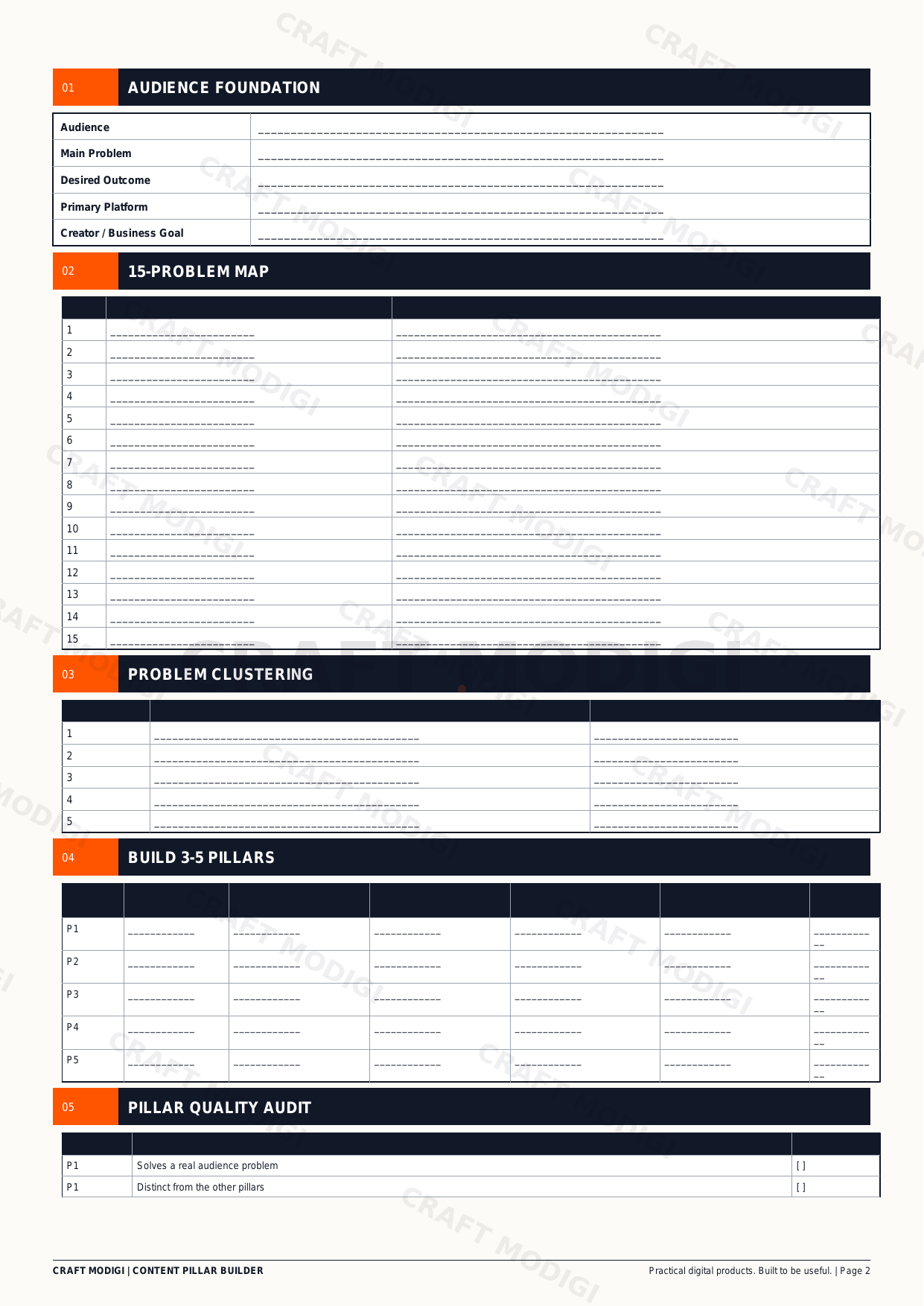
A real page showing part of the product structure.
Preview 1
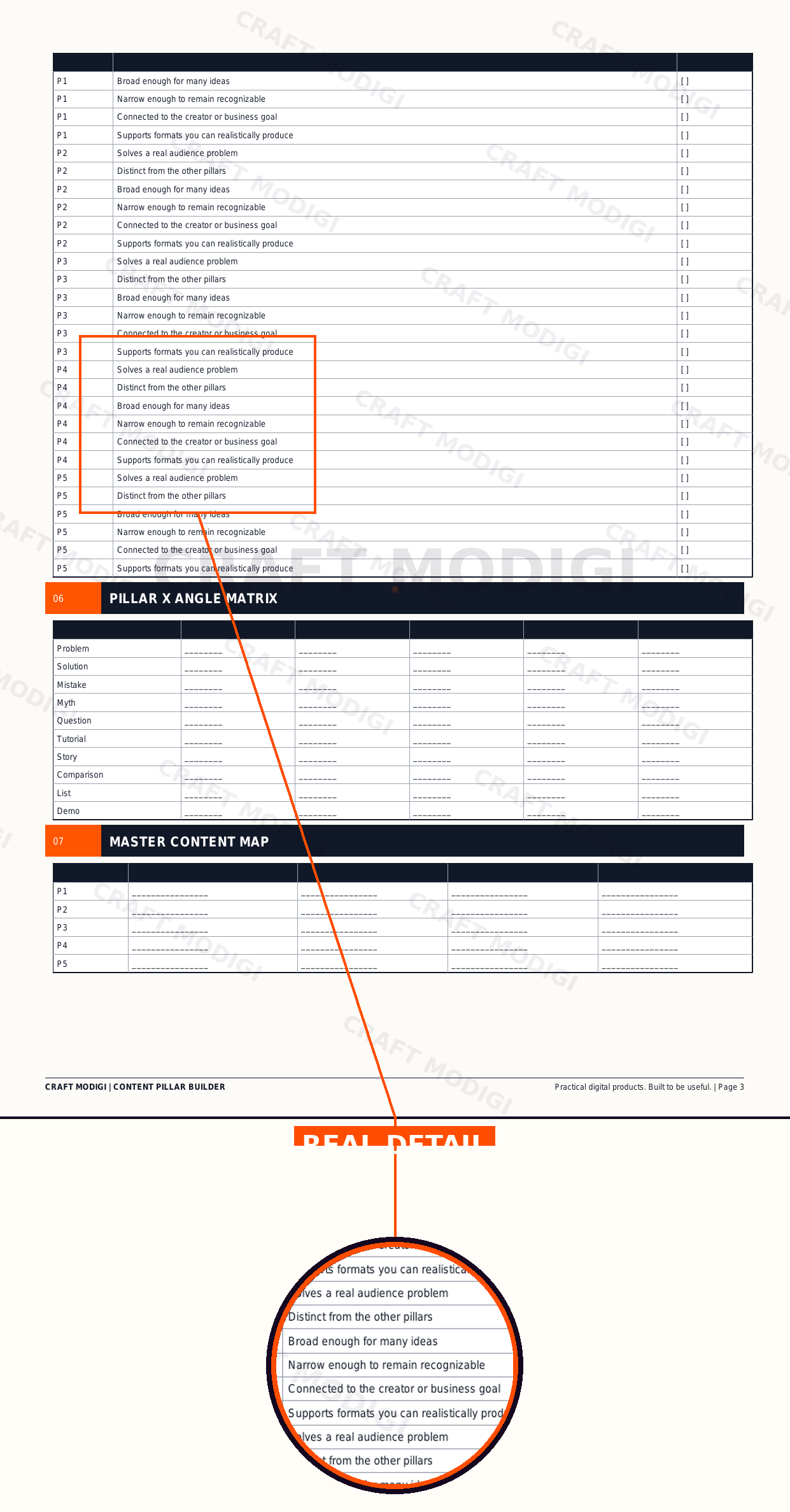
Real product preview — a sample page from the actual product, with one section shown up close.
These preview images are shown so customers can see the actual product before purchase. Preview images are branded and protected for display purposes only.
How it works
Step 1
Purchase
Buy securely through Whop checkout — card, Apple Pay or Google Pay.
Step 2
Get access
Your access link and files are ready the moment payment clears.
Step 3
Start using the product
Open it up and put it to work in your own content workflow.